 TalaoWeb3 Digital Wallet · WordPress demonstration
WordPress plugin · EUDI Wallet
Sign in.
Prove you are 18 or over.
Discover how EUDI Wallet Login connects WordPress to a digital identity wallet for identity sign-in or age verification. This public site demonstrates age verification.
Use France Identité or Talao wallet with a compatible age attestation. The explanatory pages remain freely accessible.
01 / Understand
What does an EUDI Wallet do?
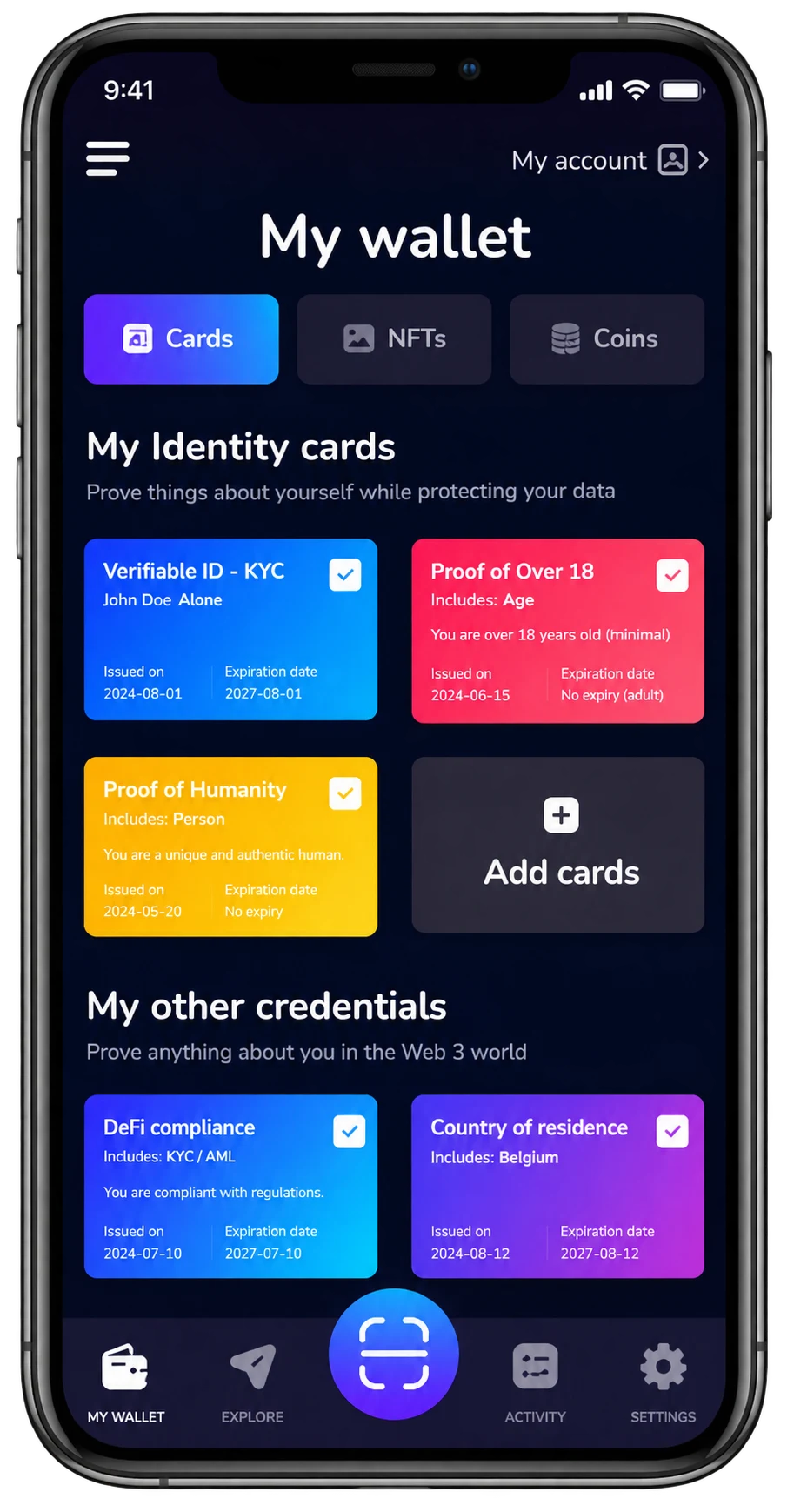
A digital identity wallet lets you receive, store and present verifiable attestations from your phone. Before sharing, you review the service’s request and authorize the presentation.
The WordPress plugin uses an OpenID Connect bridge. WordPress receives a verified OIDC result; your development team does not have to implement the wallet presentation protocol in its theme.
02 / Two separate modes
One plugin. Two uses.
Sign in with your identity
Present your identity with your wallet. The plugin associates the issuer and subject identifier with your WordPress account and signs you in.
- New accounts are created only when enabled by the administrator.
- Link an existing account after local sign-in and password confirmation.
- A contact email can be verified separately by the bridge when requested and authorized.
Identity sign-in is explained here; this demonstration runs in age mode.
Prove you are 18 or over
Present a compatible age attestation. This flow uses age_over_18 = true without creating or signing into a WordPress account.
- No name, birth date or email is requested in this age flow.
- A successful result creates a temporary five-minute browser age session.
- A confirmation popup appears after successful verification.
This is a public demonstration: no content on this site requires age proof. On a protected installation, age mode restricts public content until verification succeeds.
03 / Try the WordPress plugin
From WordPress to your wallet and back.
Keep the original browser open. On a computer, scan the QR code with a compatible wallet. On a smartphone, use the wallet-opening button when available.
France Identité
Use a compatible version supporting the age attestation requested by this service. Check the official partner guide for available features and preparation.
Talao wallet
Use Talao wallet on your smartphone with a compatible age attestation already in the wallet. Select it and authorize its presentation.
Installing a wallet or holding an identity attestation alone is not enough: your wallet must hold the required age attestation.
Start on WordPress
The button opens the bridge’s age-verification flow.
Review in your wallet
Check the requested attestation and authorize its presentation.
Return to WordPress
A “Bravo! Your age has been verified” confirmation appears after a positive result. Select Continue to close it.
04 / For developers
From installation to your first verification.
- Install EUDI Wallet Login. Download the ZIP, then use Plugins → Add New Plugin → Upload Plugin. Activate it.
- Copy the exact return URL. Find it under Settings → EUDI Wallet Login.
- Register a bridge client. Choose identity or age verification, register that return URL and verify your developer email.
- Import the private JSON and save. It contains your client settings and secret. Keep it confidential.
- Test the complete flow. Present the attestation, return to WordPress and check the result. Importing the JSON does not validate the wallet flow.
Add a button to a page using a Shortcode block containing [eudi_wallet_login]. It follows the plugin’s active mode.
Create a free bridge client — subject to the quotas shown during registration. Use separate clients for identity and age verification, and for test and production environments.
For an explanation site like this one, enable Advanced settings → Public demonstration site (age mode only). Leave it unchecked when content must be age-restricted.
05 / Questions
Before you try.
Do I need a WordPress account to verify my age?
No. Age verification does not create an account or give administration access. Identity mode is a separate sign-in flow.
Does my contact email come from my identity wallet?
No. When requested and authorized in identity mode, the bridge verifies it separately. It is not certified by France Identité. Age mode does not request a user email.
Do I have to verify my email at every sign-in?
The bridge can reuse a verified contact for thirty days from verification. Sign-ins do not extend that period. A new code is required after expiry, deletion or a requested change. An existing WordPress session has its own lifetime.
Why are accounts not matched by email?
The plugin binds accounts using the OIDC issuer and subject. To link an existing account, first sign in locally and confirm its password from your profile.
What if verification fails or expires?
Return and start a fresh request in the same browser. Check the required attestation is available. Never publish QR codes, callback codes, tokens or client secrets when requesting support.
06 / About Talao
A French digital identity wallet company.
Web3 Digital Wallet, operating as Talao, develops EUDI Wallet solutions for enterprises and public-sector organizations: white-label iOS and Android apps, wallet Provider Backend infrastructure and integrations.
Our EUDI Wallet solution · Experience and references · Open-source projects
Contact Web3 Digital Wallet (Talao)
Tell us about your WordPress integration, age verification or digital identity project.
contact@talao.io · talao.ioOpens the official contact form linked from talao.io.
Further reading / wallet compatibility
What about France Identité?
We have tested the bridge’s identity presentation with France Identité. Supported attestations, application versions and distribution channels matter. Identity and age attestations serve different requests; this site demonstrates the WordPress plugin’s age-verification mode.
France Identité compatibility in the bridge guide · Official France Identité partner information